
How to Restore Small Wallet Photos and Tiny Prints
Restore small wallet photos, passport photos and tiny prints: capture at high resolution, repair creases and blur with AI and enlarge them for print.
By Ayoub Farid · · 2 min read
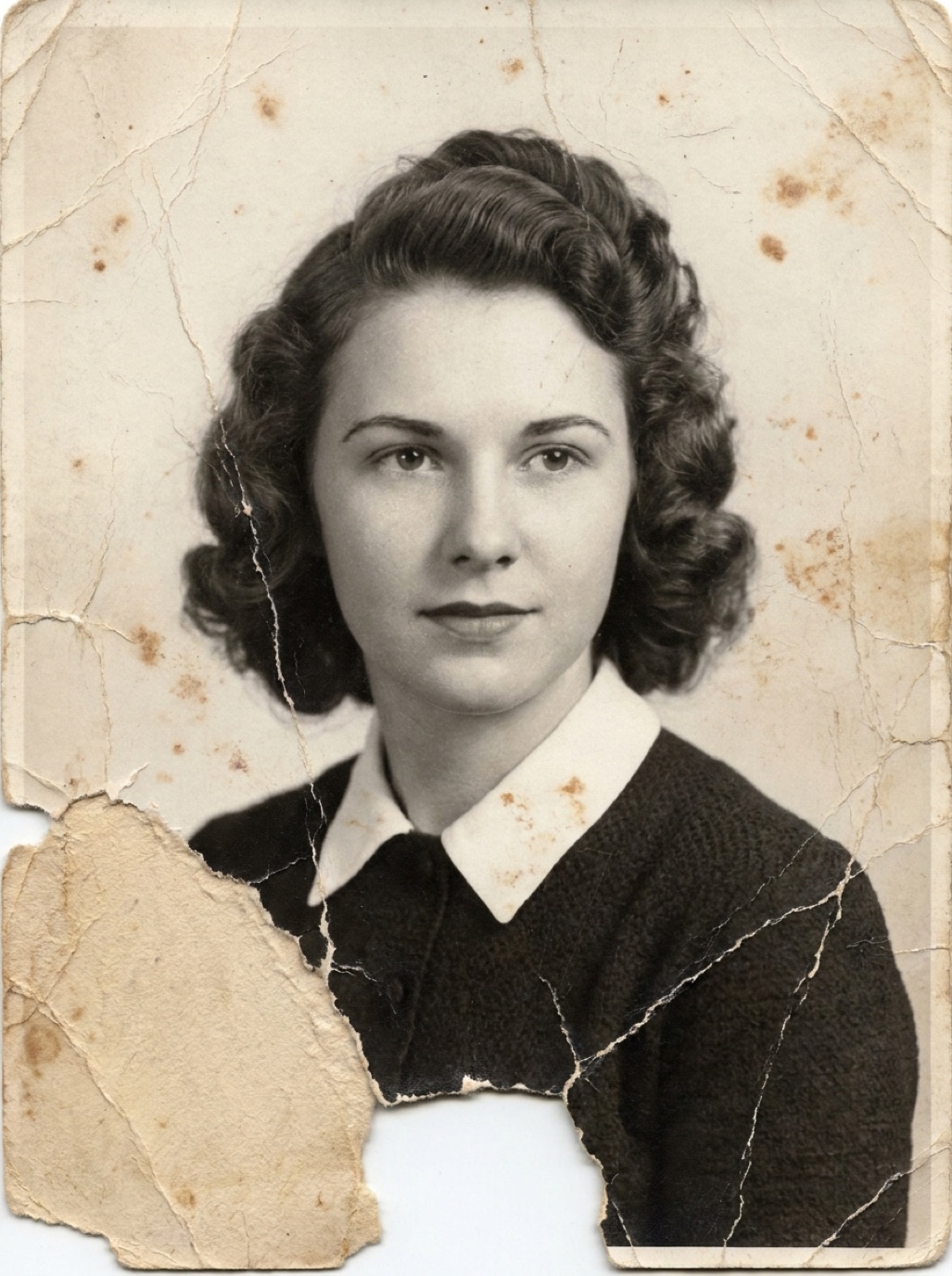
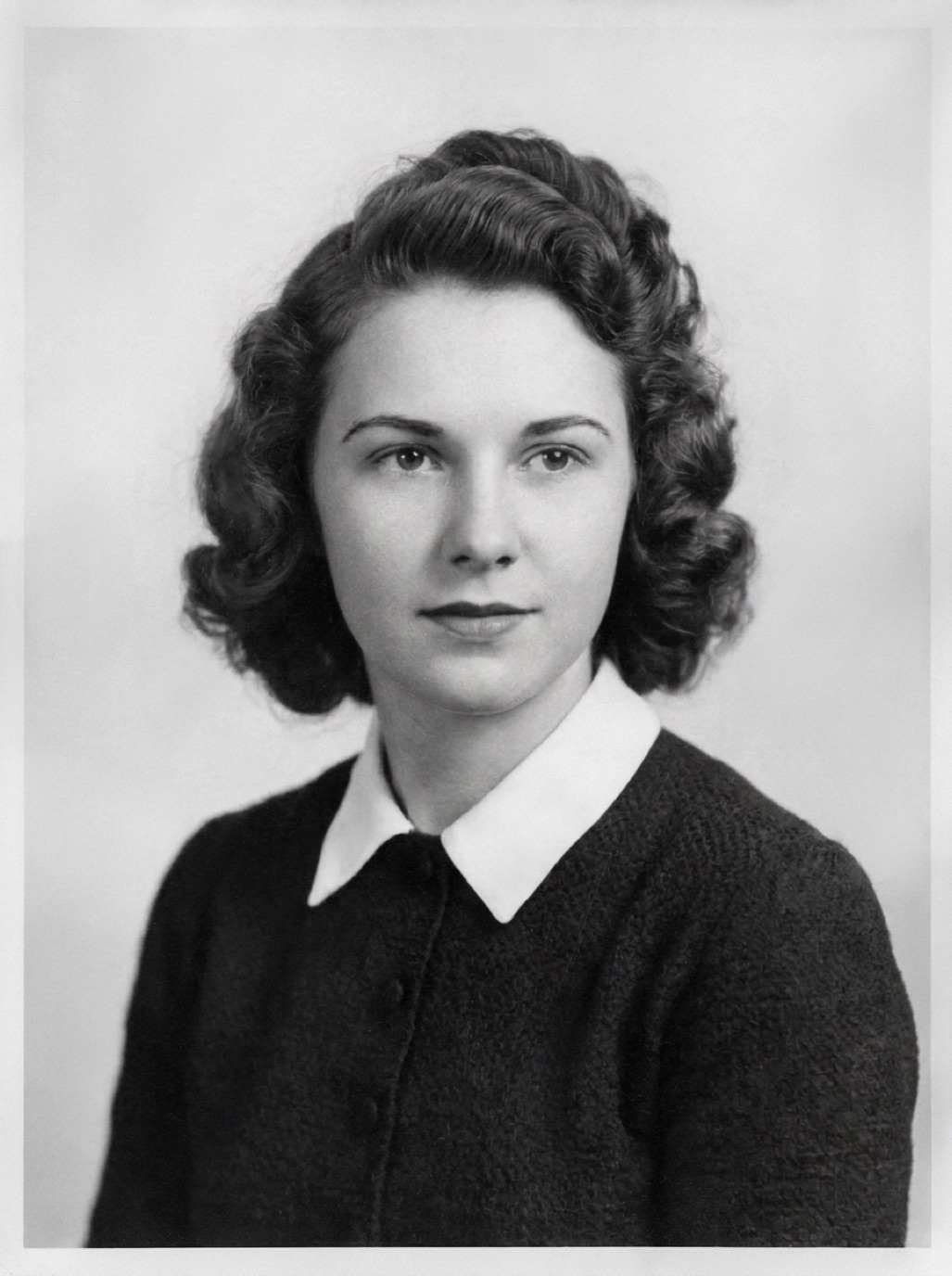
Wallet photos, passport photos, school portraits in miniature, contact sheets and tiny 1930s snapshots: small prints are often the only surviving pictures of a person. They're also hard to restore well, because there's so little image to work with. The secret is in how you capture them.
Why small photos are tricky
- Few pixels: a 2 × 3 cm photo captured casually might be only 600 pixels across.
- Heavy wear: wallet photos were carried for years, so they're creased, rubbed and faded.
- Tiny faces: the face may be a few millimeters wide.
Capture at the highest resolution you can
With a flatbed scanner
Scan at 1200 dpi or more. A 2 × 3 inch photo at 1200 dpi gives about 2400 × 3600 pixels: plenty for restoration and enlargement. See best DPI for scanning photos.
With an iPhone
- Use the 2× or 3× camera (telephoto lens) rather than moving the phone very close; that avoids focus problems and distortion.
- Fill the frame with the photo.
- Use bright, soft light and tap to focus on the face.
- Take several shots and keep the sharpest.
Restore it
In Refixo, tap Restore. The AI repairs creases, cracks and wear, sharpens the face and enhances the image to a higher quality. For black and white wallet photos, it can also add natural color.
Check the face
Because tiny photos have little detail, the AI may reconstruct a lot. Compare carefully with the original and with other photos of the same person. See sharpening faces in old photos.
Enlarge for display
A restored wallet photo can make a lovely 5 × 7 or 8 × 10 print if the capture was high resolution. Check pixels before ordering (see increasing photo resolution for printing).
Wallet photos of soldiers and loved ones
Many treasured wallet photos are military portraits or photos carried by someone far from home. They often carry more emotional weight than any album. See colorizing military photos and memorial photo restoration.
Photo booth strips
Photo booth strips are a special kind of small photo: four tiny frames, often of couples or friends, with harsh flash and strong contrast. Scan the whole strip at high resolution, then restore individual frames as crops. The frames are usually sharp but small, so enlargement works well.
Frequently asked questions
How do I scan a very small photo?
Use a flatbed scanner at 1200 dpi or more, or your phone's telephoto lens in bright soft light.
Can a tiny photo be enlarged?
Yes, with a high-resolution scan and AI enhancement. Doubling or tripling the size usually looks good.
Can AI fix a creased wallet photo?
Yes. Creases, cracks and wear are repaired along with sharpening and color correction.
Why does my phone capture of a small photo look blurry?
You're probably too close for the lens to focus. Use 2× zoom and move back slightly.
Restore it in seconds
Bring your old photos back to life
Refixo's AI removes scratches, tears and stains, sharpens faces and colorizes black & white photos in seconds. Free to download on iPhone and iPad, with a 3-day free trial.
Download on theApp Store