
How to Restore Old Polaroid Photos
Restore old Polaroid and instant photos: why they fade and shift color, how to scan them without glare, and how to fix colors and damage with AI.
By Ayoub Farid · · 2 min read
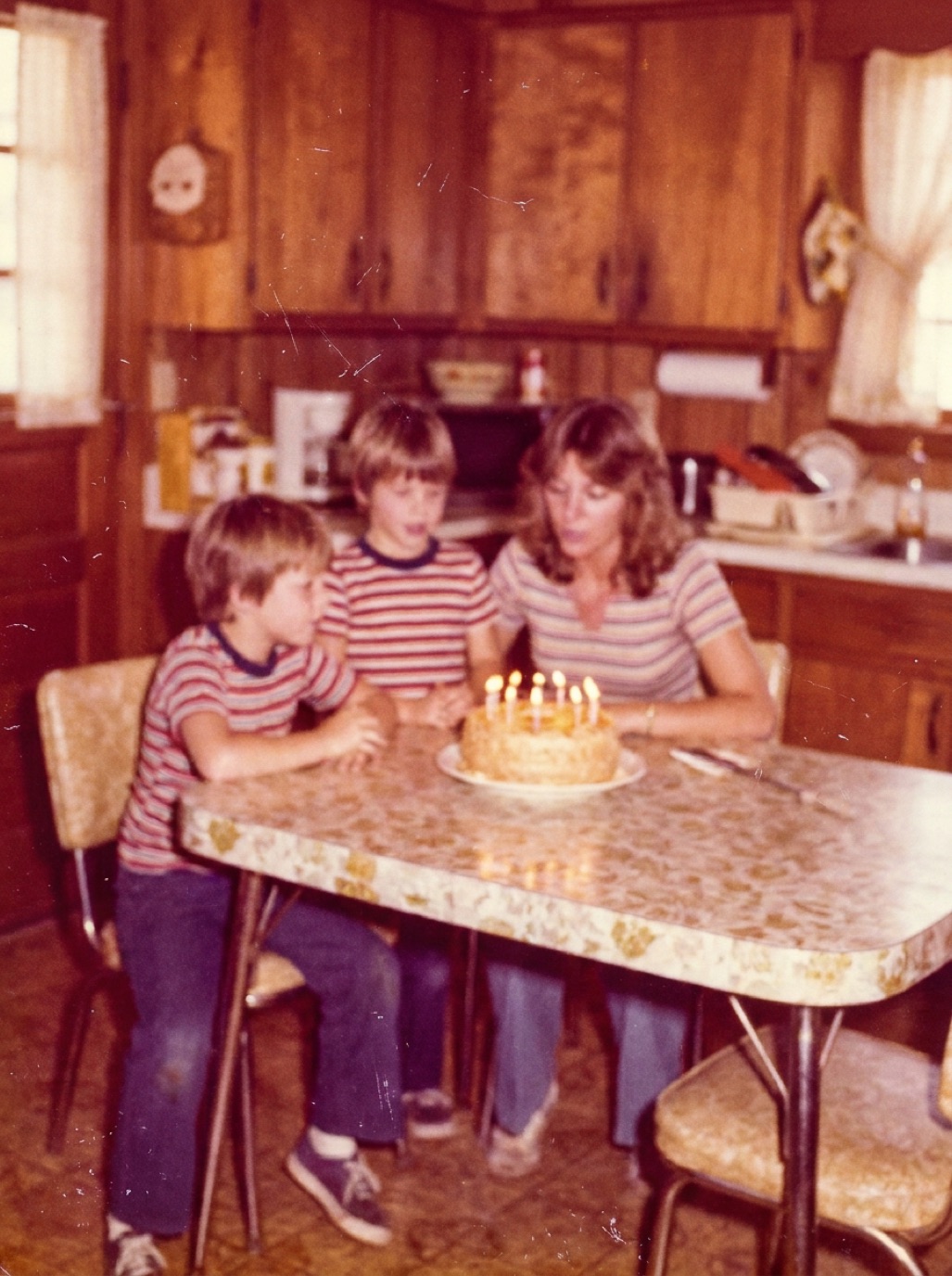
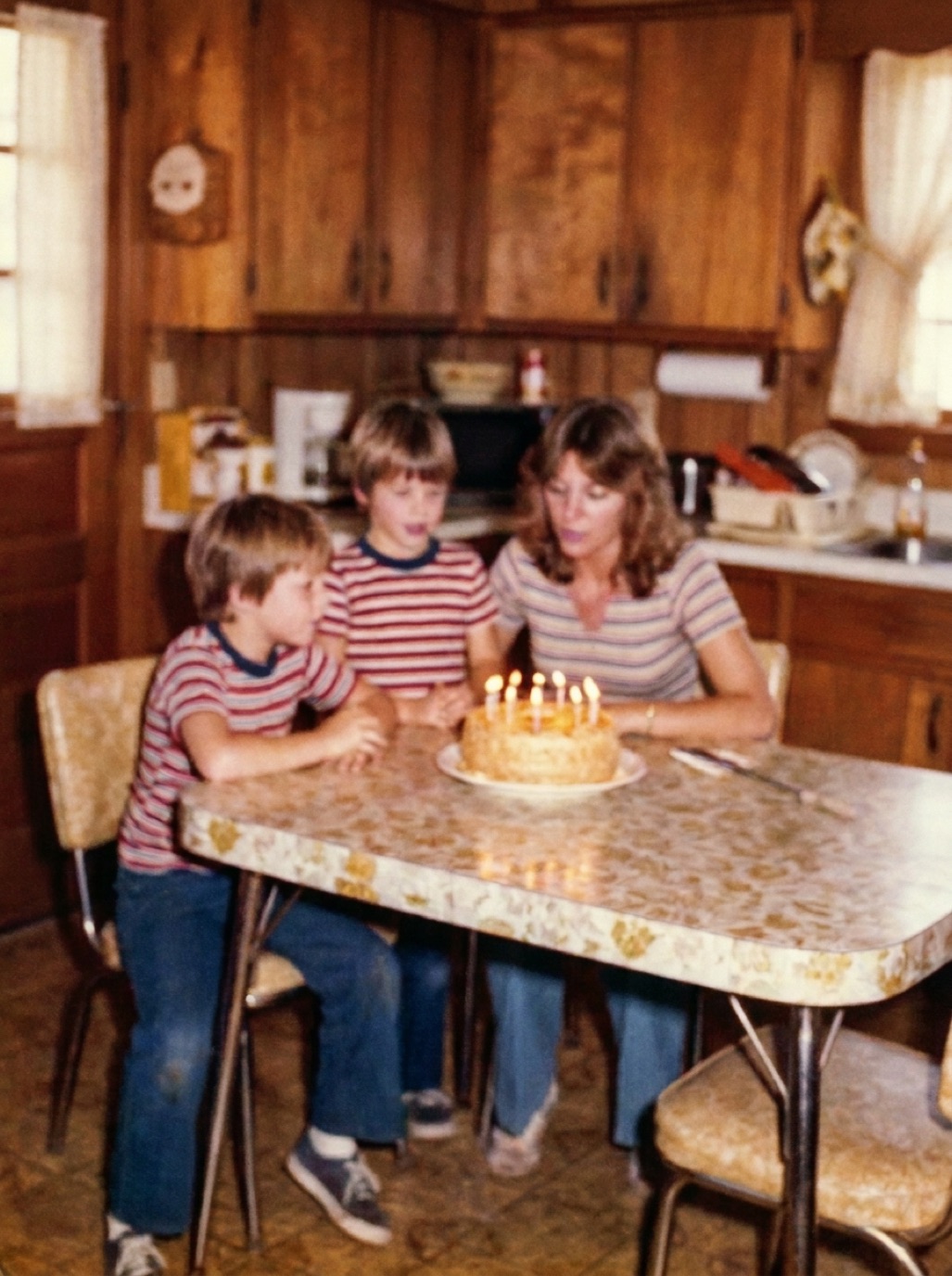
Instant photos from the 1970s, 80s and 90s have a look everyone recognizes: the white frame, the soft colors, the slight blur. They also age in their own particular ways. Many old Polaroids are now strongly yellow, cyan or brown, with cracks around the edges. Here's how to preserve and restore them.
How instant photos age
- Color shifts: dyes inside the print change over time, often giving a strong yellow, orange or blue-green cast.
- Fading: especially photos that were displayed.
- Cracking and delamination: the layers can separate, particularly at the edges or where the photo was bent.
- Chemical stains: the developer reagent sometimes leaks at the edges.
Handle them carefully
- Never cut an instant print (the chemicals inside can leak).
- Never soak it in water; it can delaminate.
- Don't bend it to flatten it.
- Store flat in archival sleeves, in a cool dark place.
Scanning instant photos
Instant prints are glossy and slightly textured, which makes glare a problem.
- Use soft light from two sides at around 45°, or a flatbed scanner.
- Avoid direct overhead light and flash.
- Scan at high resolution, since the images are small (around 600–1200 dpi; see best DPI for scanning photos).
- Keep the white frame in the scan for authenticity; you can crop later.
Restore colors and damage
In Refixo, tap Restore. The AI corrects the color cast, rebuilds contrast, reduces the softness typical of instant film and removes scratches and spots. If you want to keep some of the classic instant-film feel, keep the original scan alongside and compare.
Keep the look, lose the damage
Restoring an instant photo doesn't have to make it look modern. Some people prefer to:
- Remove damage and fix the worst color cast, but keep soft colors.
- Keep the white frame and add it back when printing.
- Print restored versions on matte paper for a period look.
See how to fix faded photos and printing restored photos.
Photographing instant photos with a phone
If you don't have a scanner, a phone capture works well:
- Put the photo on a dark matte cloth near a window, out of direct sun.
- Hold the phone directly above, parallel, and use 2× zoom to avoid distortion from being too close.
- Tilt the photo slightly if you see glare, and rotate it back digitally.
- Take two or three shots and keep the sharpest.
Frequently asked questions
Why are my old Polaroids turning yellow or blue?
The dyes inside instant prints change chemically over time, and light and heat speed it up.
Can I restore a Polaroid with AI?
Yes. Scan or photograph it, then restore it. Color casts, fading and small damage are corrected.
Is it safe to remove a Polaroid from an album?
Gently, yes, if it isn't stuck. Don't bend or pull it. See removing photos from magnetic albums.
Should I cut the white frame off?
No. Cutting an instant print can release chemicals and damage it. Crop the digital copy instead.
Restore it in seconds
Bring your old photos back to life
Refixo's AI removes scratches, tears and stains, sharpens faces and colorizes black & white photos in seconds. Free to download on iPhone and iPad, with a 3-day free trial.
Download on theApp Store