
How to Fix Cracked Photos: Repairing Crazed and Flaking Emulsion
Why old photos crack and how to fix cracked photos digitally: capturing crazed prints, AI restoration of crack networks, and storage to stop more cracking.
By Ayoub Farid · · 2 min read
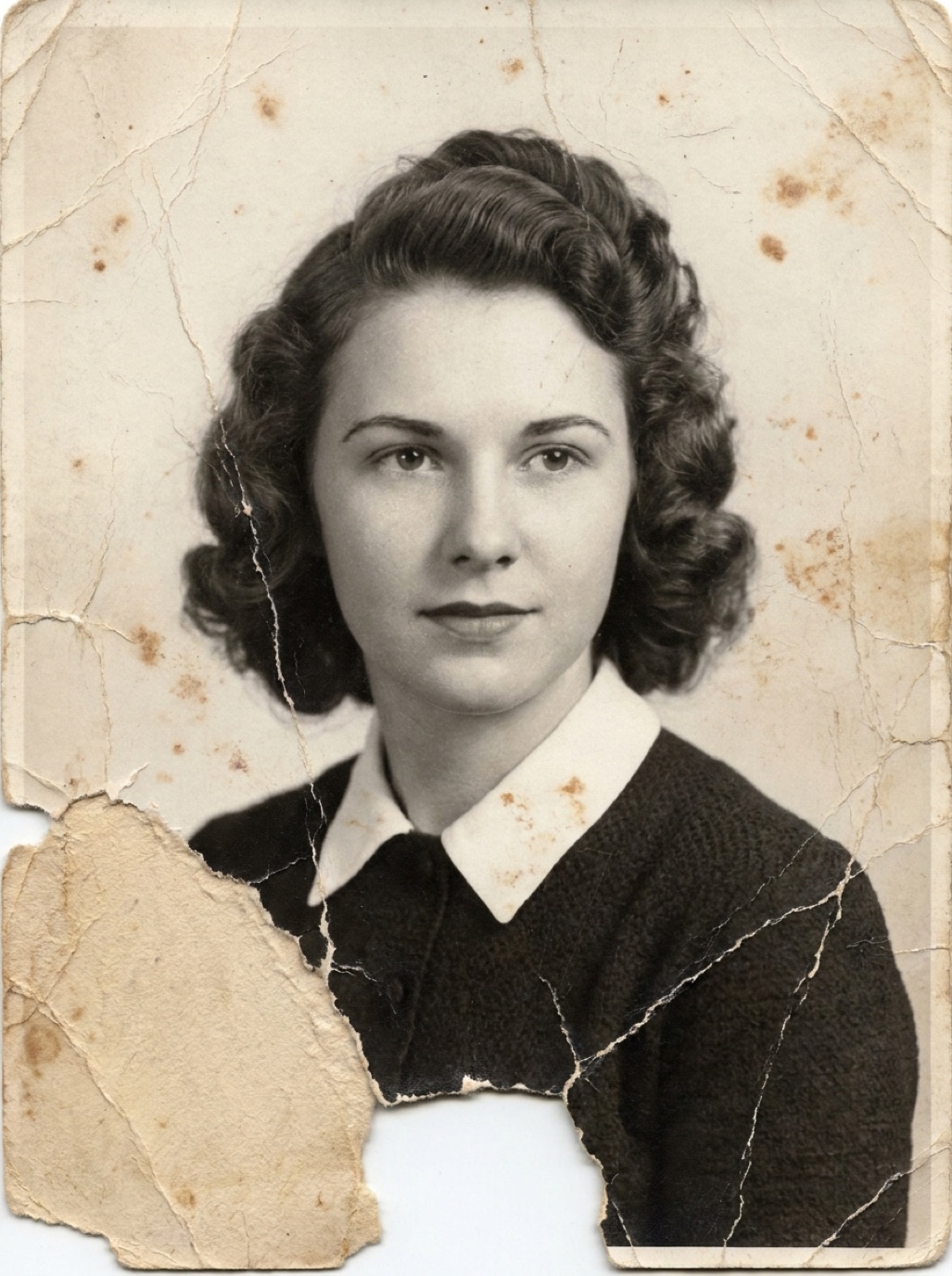
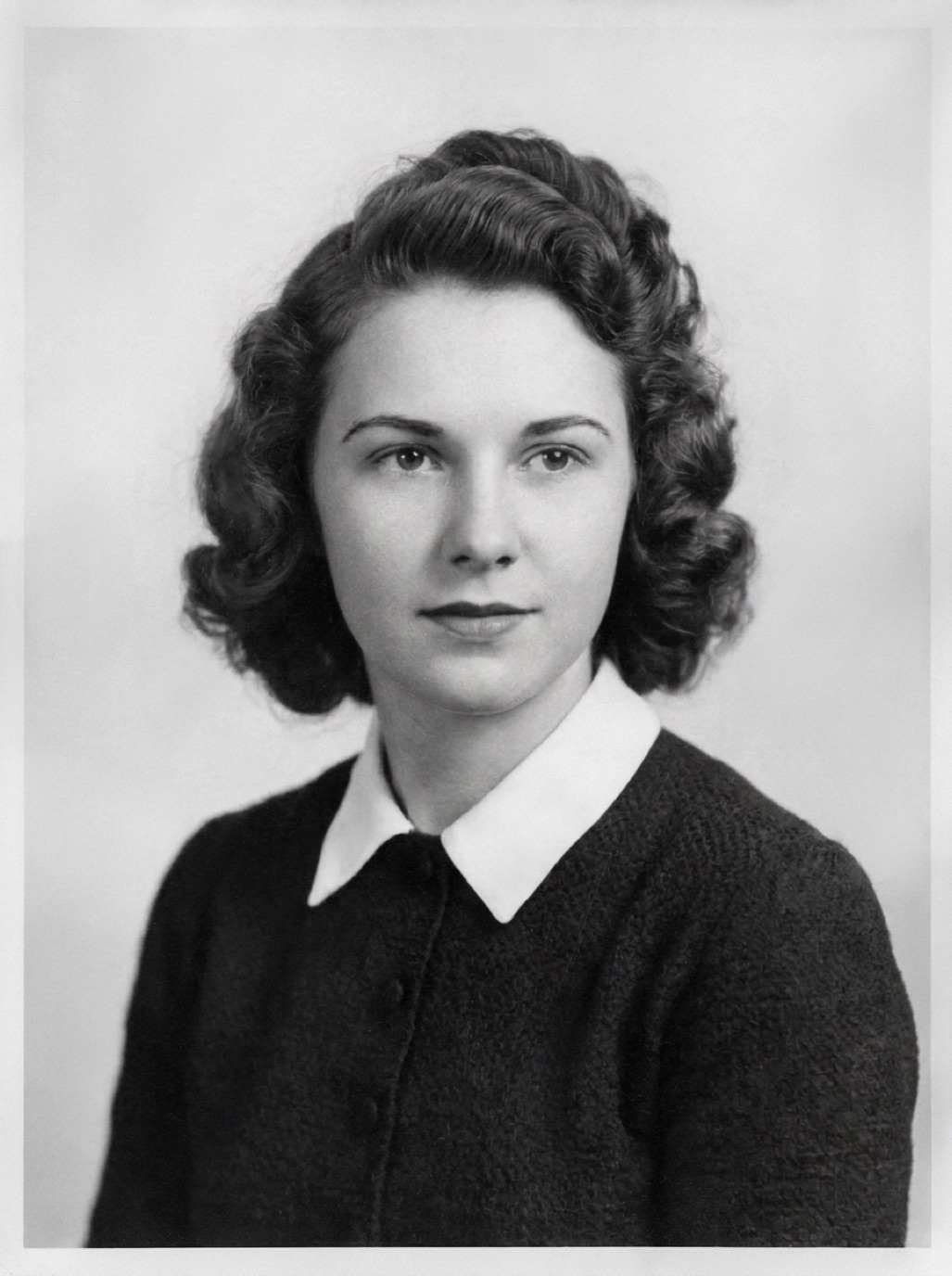
Some old photos look like dried mud: a web of fine cracks across the whole surface, sometimes with tiny flakes lifting at the edges. This "crazing" happens when the image layer becomes brittle and the paper underneath moves with humidity. It's one of the hardest kinds of damage to fix by hand, and one of the most impressive for AI.
Why photos crack
- Age and dryness: gelatin emulsion becomes brittle over decades.
- Humidity swings: paper expands and contracts, the stiff emulsion can't, and it cracks.
- Bending and rolling: curled or rolled photos crack along the bend.
- Heat: attics and radiators accelerate drying.
The man in uniform on our homepage is an example of a cracked portrait restored and colorized (an AI-generated example for illustration).
Handle cracked prints with care
- Don't flatten a curled, cracked photo by force; it can shatter the emulsion. Let a conservator humidify valuable prints.
- Keep it face up and supported on a stiff card.
- Don't brush flaking areas; you'll remove the loose pieces of image.
Capture it carefully
Cracks catch light. Use soft, diffuse light from both sides, or a flatbed scanner with the lid down. Avoid a single directional light, which makes every crack cast a shadow. See how to scan old photos.
Fix the cracks with AI
Hand-retouching hundreds of hairline cracks with a clone tool takes hours, and it's easy to leave a blurry, smeared look. In Refixo, tap Restore: the AI recognizes the crack network as damage and rebuilds the underlying image, including skin, fabric and background, and also restores contrast and sharpens faces. Black and white portraits can also be colorized afterwards.
Check: where flakes are missing completely, the AI fills in plausible detail. On faces, compare against the original (see restoring damaged faces).
Manual approach for perfectionists
- Work on a duplicate layer at 200% zoom.
- Use the healing brush with a small, soft brush and follow each crack.
- For large plain areas, a light "dust & scratches" filter on a masked layer can speed things up.
- Leave faces for last and work slowly.
Stop cracks from getting worse
- Store at stable, moderate humidity, away from attics and radiators (see how to store old photos).
- Keep cracked prints flat in archival sleeves with a stiff backing.
- Digitize now; cracking often accelerates.
Related: fixing creased and folded photos, removing scratches.
Frequently asked questions
Can cracked photos be restored?
Yes. Digital restoration can remove crack networks convincingly. The physical print remains cracked, so store it carefully.
What causes the spiderweb cracks on old photos?
Brittle emulsion combined with paper that expands and contracts with humidity, or bending.
Should I glue down flaking pieces?
No. Leave that to a conservator. Keep the print flat and digitize it.
Can AI fix cracks across a face?
Usually, yes. Compare the restored face with the original to make sure features and expression are unchanged.
Restore it in seconds
Bring your old photos back to life
Refixo's AI removes scratches, tears and stains, sharpens faces and colorizes black & white photos in seconds. Free to download on iPhone and iPad, with a 3-day free trial.
Download on theApp Store