
How to Fix Dark, Underexposed Old Photos
Brighten dark, underexposed old photos without noise and muddy colors: AI restoration, shadow recovery, curves and how to capture dark prints well.
By Ayoub Farid · · 2 min read
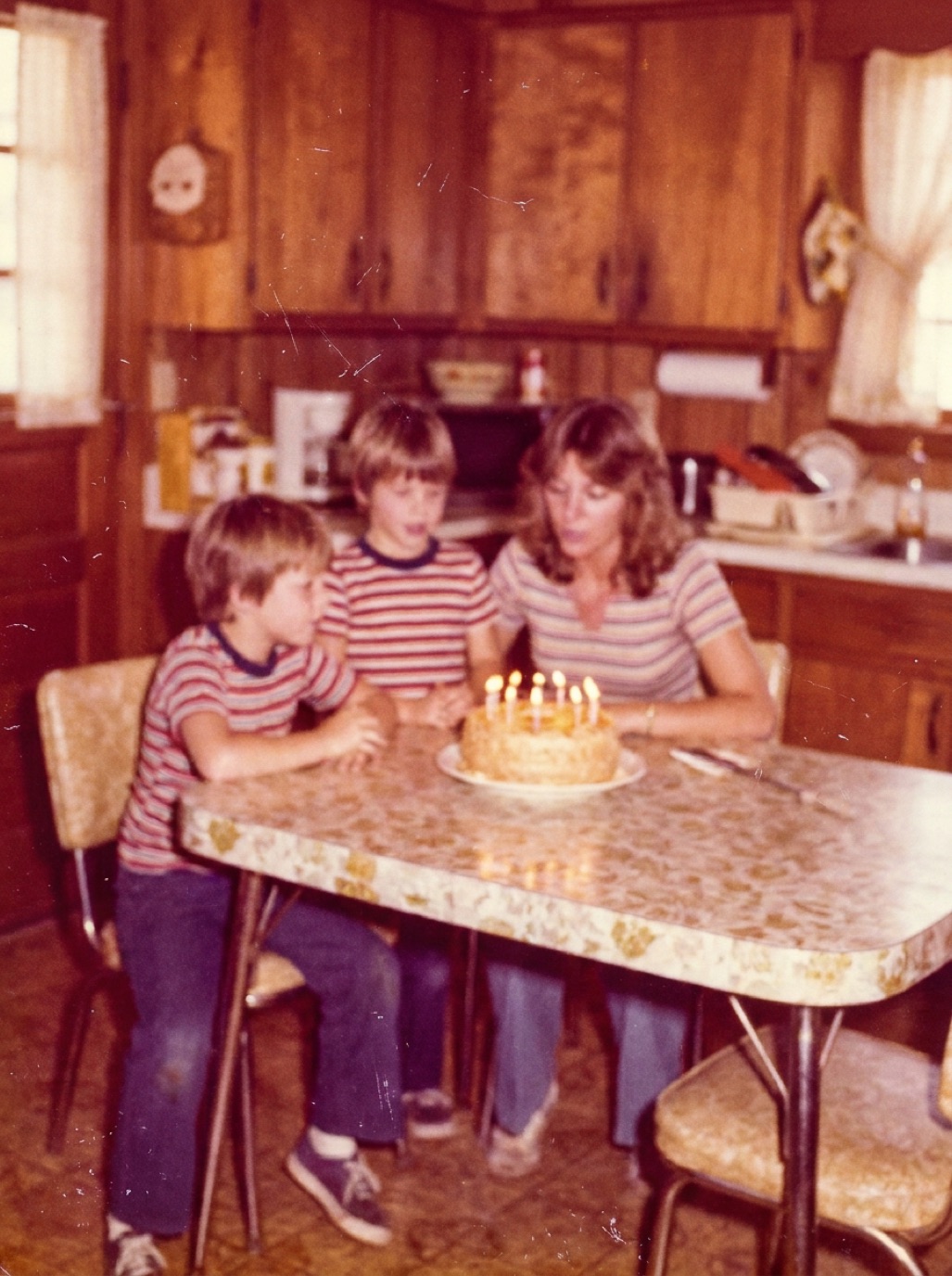
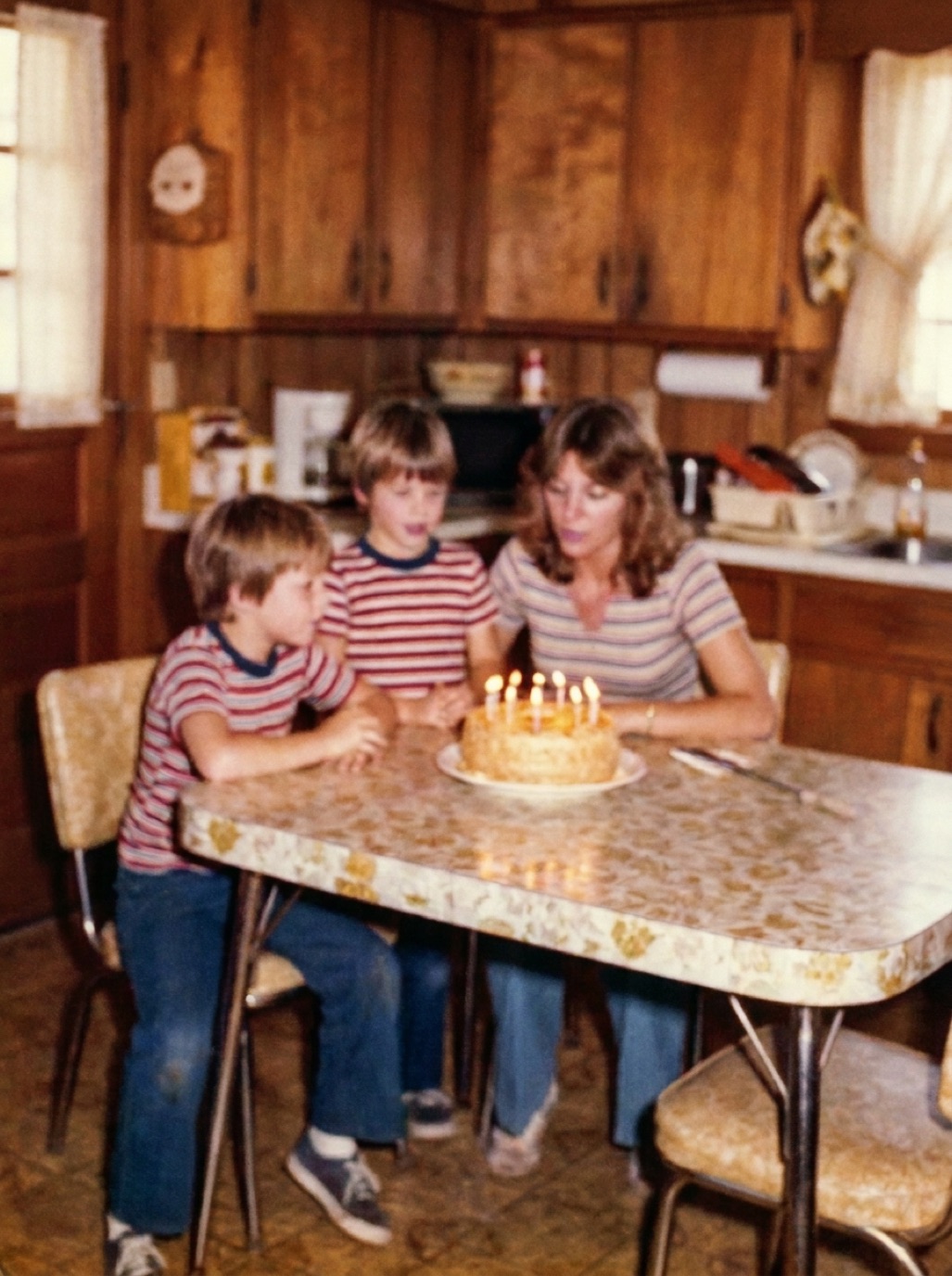
Indoor family gatherings, evening events and photos taken without flash often came out too dark. Decades later, darkening of the print itself can make it worse. The faces you most want to see are hiding in the shadows. Here's how to bring them out.
What you can recover
Dark photos often contain more detail than you'd think. The shadows of a print still hold information, it's just compressed. Brightening reveals it, along with grain and noise. The darker the original, the more noise appears.
Capture dark prints properly
- Use bright, even, diffuse light so the camera doesn't add its own noise.
- On a phone, tap to focus on a face and slide exposure up a little.
- Use a flatbed scanner for very dark prints; it captures more shadow detail than a phone in dim light.
- Avoid glare, which dark glossy prints show very clearly.
Fix with AI
In Refixo, tap Restore. The AI lifts shadows, recovers faces, reduces the noise that comes up with brightening and corrects colors. It also removes scratches and dust, which become more visible once the photo is brighter.
Fix by hand
- Shadows slider: raise it to brighten dark areas without blowing out highlights.
- Curves: lift the lower part of the curve; keep the top steady.
- Noise reduction: apply moderately; too much makes faces look like wax.
- Color: dark photos often have a warm or green cast from indoor light. Correct white balance on something neutral.
- Local adjustments: brighten faces specifically with a radial filter or brush.
Dark black and white photos
Underexposed black and white photos can look very grainy once brightened. AI noise reduction and sharpening help a lot. If you plan to colorize, restore and brighten first (see colorizing black and white photos).
Related: fixing grainy, noisy photos, fixing overexposed old photos.
Indoor photos with a color cast
Dark indoor photos from the 1970s–1990s often have a strong orange or green cast from household bulbs or fluorescent tubes. When you brighten them, the cast gets stronger. Correct the white balance using something that should be neutral, such as a white tablecloth or a grey wall, or let AI restoration handle color correction and brightening together. Faces should look natural, not orange or sickly green.
Frequently asked questions
Can a very dark photo be brightened?
Yes, in most cases. Shadows contain detail that can be revealed, though noise increases.
Why does my brightened photo look grainy?
Brightening amplifies film grain and sensor noise. Use noise reduction or AI restoration.
Should I use the iPhone's Brilliance slider?
It's a good quick fix for light underexposure. For heavy darkness plus damage, a restoration app gives better results.
Is scanning better than a phone for dark prints?
A flatbed scanner usually captures cleaner shadow detail than a phone in dim conditions.
Restore it in seconds
Bring your old photos back to life
Refixo's AI removes scratches, tears and stains, sharpens faces and colorizes black & white photos in seconds. Free to download on iPhone and iPad, with a 3-day free trial.
Download on theApp Store