
How AI Photo Restoration Works (Explained Without the Jargon)
How does AI photo restoration actually work? A plain-English look at how models remove scratches, sharpen faces and colorize old photos, and their limits.
By Ayoub Farid · · 3 min read
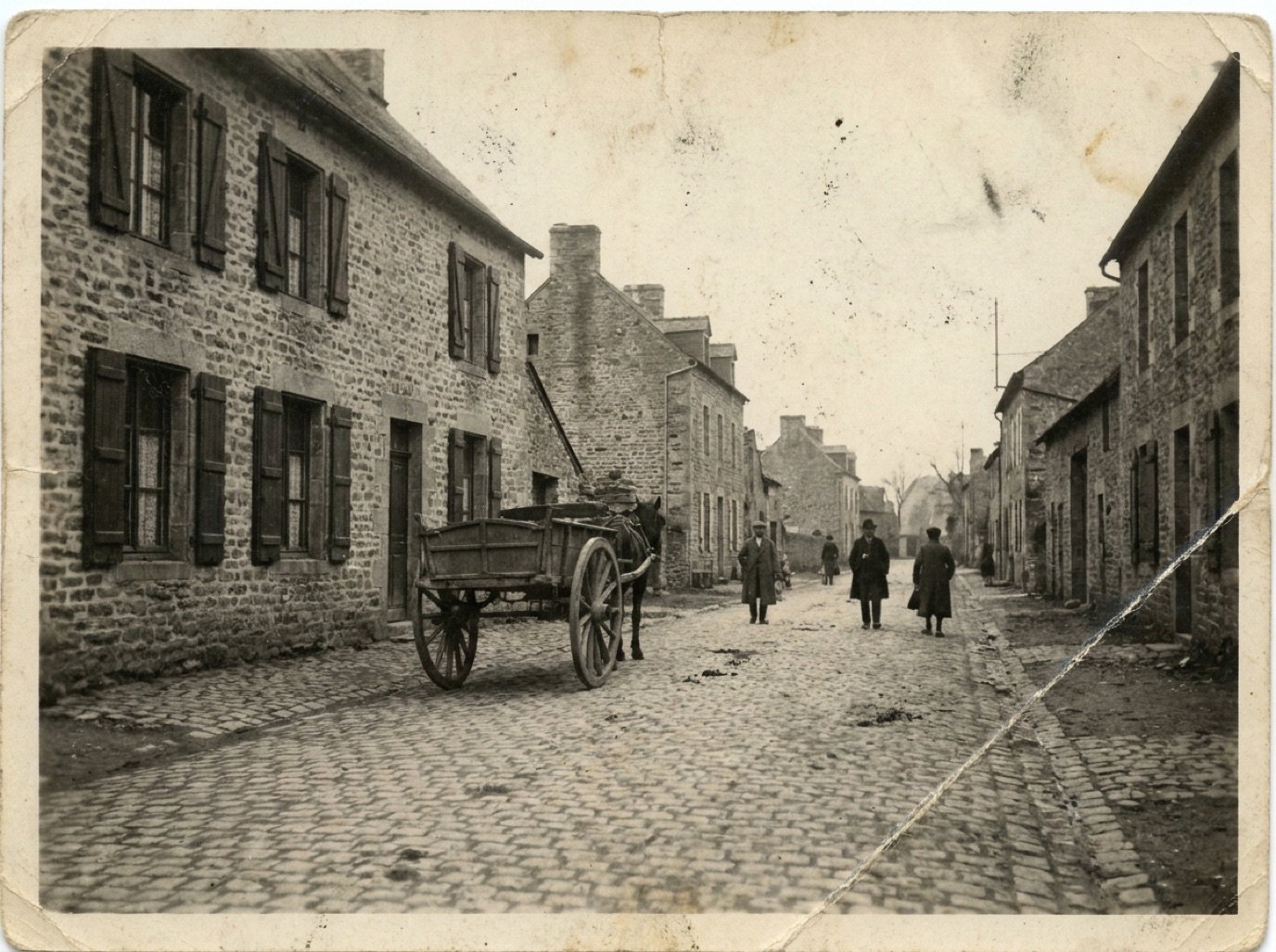
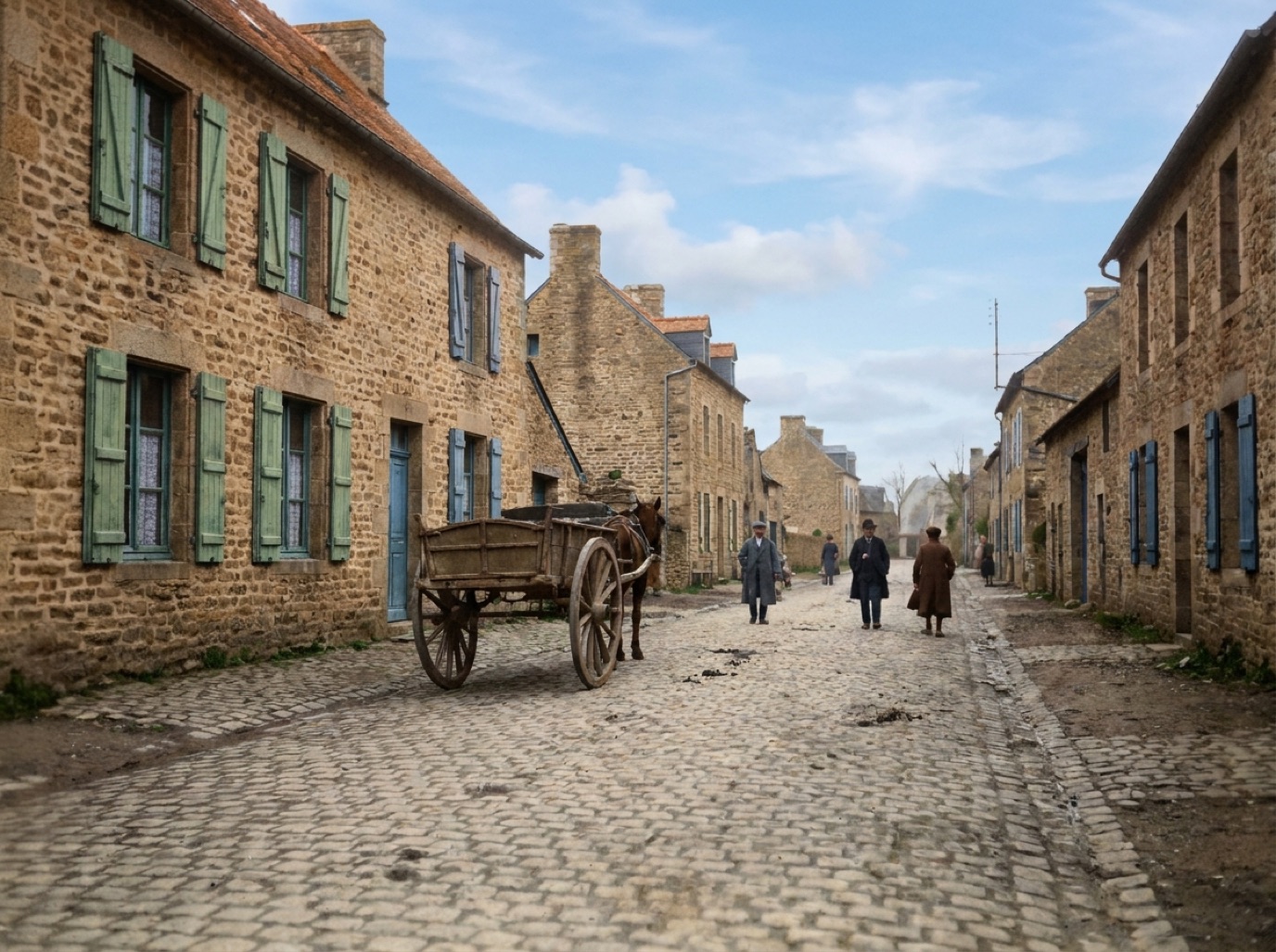
You tap a button and, a few seconds later, a cracked 1940s portrait looks like it was printed yesterday. It can feel like magic, but it isn't. Understanding what happens behind the button helps you get better results and know when to trust them.
The short version
An AI restoration model is a neural network that has learned, from huge numbers of examples, what damaged photos look like and what clean photos look like. When it sees your photo, it predicts the most likely clean version. It doesn't "find" lost information. It estimates it, based on patterns it learned.
How the model learns
Training a restoration model works roughly like this:
- Start with clean, high-quality photos. Millions of them: portraits, groups, landscapes.
- Damage them artificially. Add scratches, dust, blur, noise, JPEG compression, fading and color casts, and convert some to black and white.
- Ask the model to undo the damage. It produces a guess at the clean version.
- Compare and correct. The guess is compared with the real clean photo, and the model adjusts itself to do better next time.
After enough rounds, the model becomes very good at recognizing damage patterns and replacing them with plausible detail.
What happens to your photo, step by step
1. Damage detection
The model identifies what is damage and what is image content. A thin white line across a sky is probably a scratch; a thin white line along a collar is probably the collar. This is why AI is better than older automatic "dust removal" filters, which often blurred real details. See how to remove scratches from photos.
2. Inpainting
Damaged areas are filled with content that matches their surroundings. For a scratch across a cheek, that means skin texture; for a missing corner, background. Large holes need more invention, so results are less reliable there (more on that in fixing torn photos).
3. Face restoration
Faces get special treatment because we notice the smallest error in them. Specialized face models recognize eyes, nose, mouth and hair and rebuild sharp detail from blurry input. This is the step that makes the biggest visual difference, and also the one to check most carefully (see sharpening faces in old photos).
4. Tone and color correction
The model corrects fading, yellowing and color casts and restores contrast, so blacks are black and whites are white again.
5. Upscaling
Many restoration pipelines also increase resolution, predicting fine detail like hair strands and fabric texture. Read more in upscaling old photos.
6. Colorization (optional)
For black and white photos, a colorization model predicts plausible colors for each area: skin, sky, grass, fabric. It's educated guessing based on context. We explain this in how AI colorization works.
Why results sometimes look "off"
- Too little information: a tiny or extremely blurry face gives the model almost nothing to work from, so it invents more.
- Unusual content: rare uniforms, traditional clothing or objects the model has seen less often may be simplified.
- Overconfidence: models always produce an answer, even when the honest answer would be "I can't tell".
That's why it's important to compare restored photos with the original, especially for faces you knew personally. Our article on AI restoration accuracy gives a checklist.
How apps like Refixo use this technology
Refixo combines these steps into one action: you pick a photo, tap restore, and the app returns a restored version with damage removed, faces enhanced and colors corrected, plus colorization for black and white photos. You can then drag a slider to compare with the original.
Frequently asked questions
Does AI restoration recover the "real" details of the photo?
Partly. Where some information survives (a soft face, a faded tone), AI enhances it. Where information is completely missing, it creates plausible detail, which may not match reality exactly.
Why do restored faces sometimes look different?
When a face is very small or blurry, the model has to reconstruct a lot of detail. Small differences in eye shape or expression can result. A sharper scan of the original usually helps.
Is AI photo restoration the same as a filter?
No. Filters apply the same adjustment everywhere. AI restoration analyzes the content of each area and repairs it differently, for example treating skin, hair and background separately.
Will AI restoration get better over time?
Yes. Models improve as they are trained on more and better data, especially on difficult content like damaged faces and complex scenes.
Restore it in seconds
Bring your old photos back to life
Refixo's AI removes scratches, tears and stains, sharpens faces and colorizes black & white photos in seconds. Free to download on iPhone and iPad, with a 3-day free trial.
Download on theApp Store