
How to Fix Yellowed Photos and Remove the Yellow Cast
Why old photos turn yellow and how to fix yellowed photos: neutralize the cast with AI or levels and curves, and store prints so they stop yellowing.
By Ayoub Farid · · 2 min read
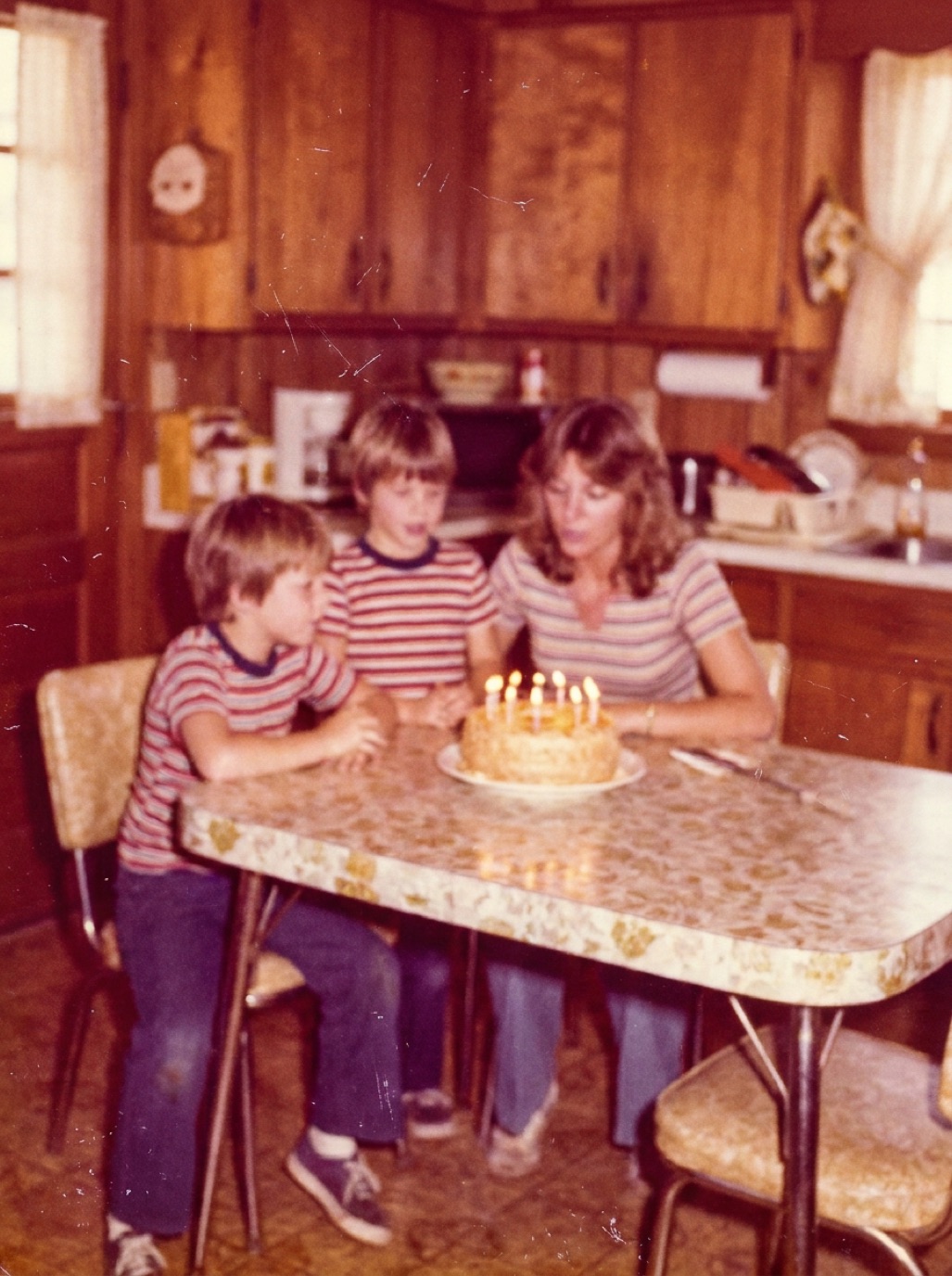
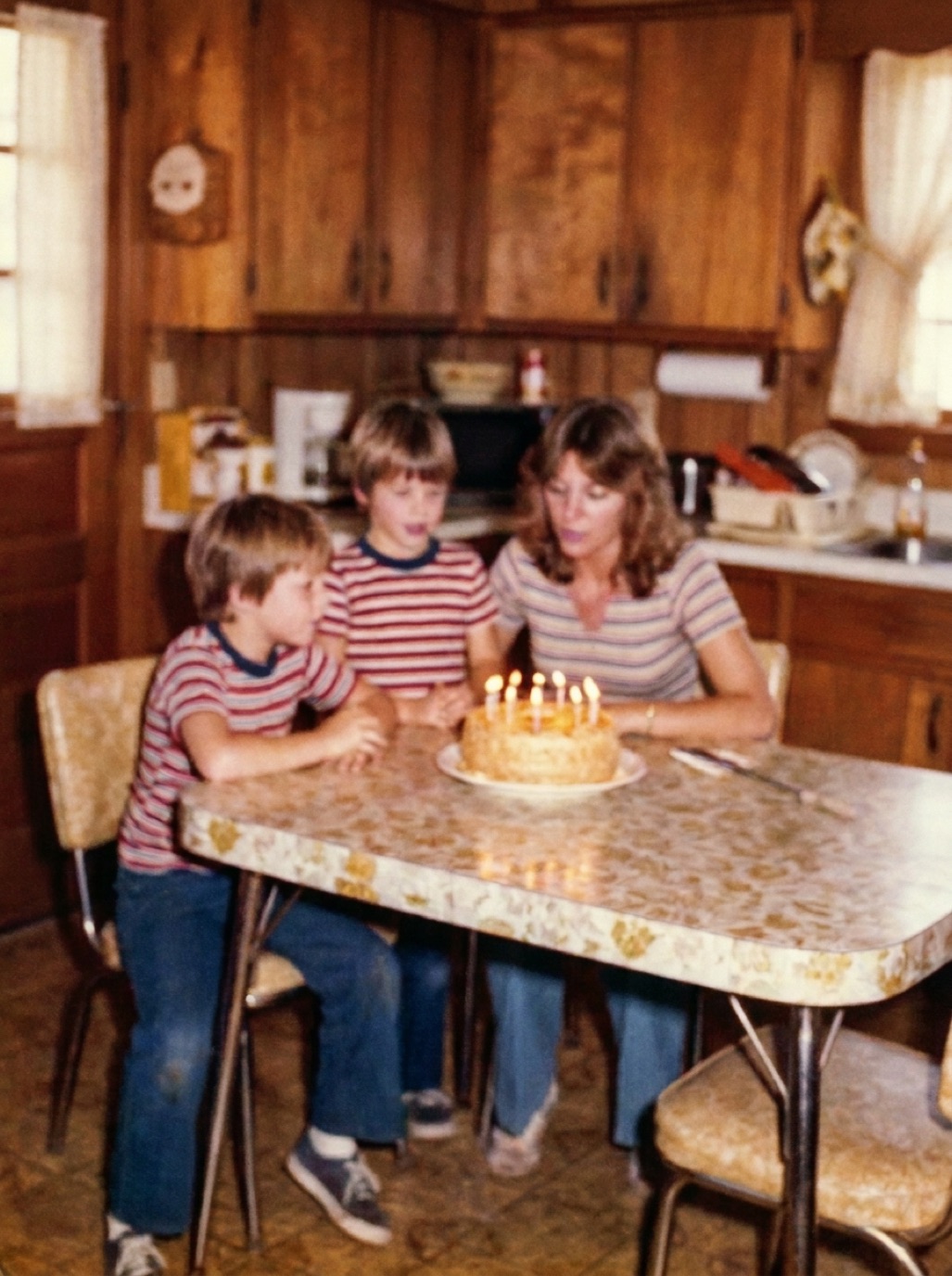
Yellowing makes old photos look older than they are. Whites turn cream, shadows turn brown and the whole picture seems to sit behind a dirty window. Like fading, yellowing is very fixable digitally, because the image detail is still there.
Why photos yellow
- Paper and residual chemicals: incompletely washed prints yellow over time.
- Acidic storage: cheap albums, cardboard and old frames release acids.
- Light and pollutants: cigarette smoke, cooking fumes and sunlight all contribute.
- Dye fading: in color prints, the yellow layer can become dominant as others fade.
The quick fix: AI restoration
In Refixo, choose the yellowed photo and tap Restore. The AI neutralizes the yellow cast, restores clean whites and deep blacks and fixes the dust, scratches and fading that usually come with it.
The manual fix
In any editor with Levels or Curves (or the Photos app for light yellowing):
- Set the white point with the white eyedropper on something that should be white, such as a shirt, a wedding dress or the border of the print.
- Set the gray point on something neutral, such as pavement, a grey suit or a stone wall.
- Fine-tune per channel: in the blue channel, raise the curve slightly to counter yellow.
- Check skin tones: faces should look healthy, not grey or blue.
Black and white photos that turned yellow
You have two choices:
- Convert to neutral black and white: desaturate fully, then restore contrast.
- Keep a gentle warm tone if you like the vintage look, but reduce the yellow.
Either way, keep the original scan.
Yellowing vs sepia
Sepia toning was an intentional process that gave prints a warm brown tone and also made them more stable. Yellowing is deterioration. If your photo is evenly warm brown with good contrast, it may be sepia, which you might want to keep. See colorizing sepia photos.
Stop the yellowing
- Move photos to acid-free, archival sleeves and boxes.
- Avoid storing in attics, garages or kitchens.
- Display restored reprints instead of originals.
See how to store old photos and how to prevent photos from fading. For other color issues, read how to fix faded photos.
Frequently asked questions
Can yellowed photos be restored?
Yes. Digital color correction or AI restoration removes the yellow cast and restores neutral tones in most cases.
Can I whiten a yellowed print physically?
Not safely at home. Bleaching or washing damages photos. Fix the digital copy.
Why do some old photos stay white while others yellow?
Differences in processing, paper quality and storage. Poorly washed prints and acidic albums yellow fastest.
Should I keep the sepia look?
If the photo was intentionally sepia-toned, many people keep it. Removing yellowing from damage is a different thing from removing sepia toning.
Restore it in seconds
Bring your old photos back to life
Refixo's AI removes scratches, tears and stains, sharpens faces and colorizes black & white photos in seconds. Free to download on iPhone and iPad, with a 3-day free trial.
Download on theApp Store